 Switchyard
The models ship inside the app and run on your computer.
No account. No server. Nothing uploaded — not the documents, not the records, not a usage ping. The app counts the bytes it sends and puts the number on screen where you can watch it.
Therapy is on the Mac App Store now. Legal, GovCon, and Complete are still in review; their links open as each is approved.
You are renting capability you will never open.
The big AI subscriptions price in code generation, agentic browsing, and research pipelines. Then they bill you every month, forever. Most of the work in front of you is narrower than that: turn a document into a clean record, find something you wrote months ago, produce a file someone else can read.
Switchyard is one payment. Every future update is included. There is no subscription and nothing to cancel.
Trust is the part that ends the conversation.
You cannot verify what a cloud provider retains, whether a subprocessor sees your material, or whether next quarter's terms turn it into training data. For client files, patient notes, or contract-sensitive work, “they say they don't” is not an answer you can give anyone who asks.
This removes trust from the question instead of asking for more of it. There is no third party in the picture to trust or audit.
Buy the one that matches your work.
Each focused edition carries only its own toolkit — it opens populated, with nothing to configure. Complete carries all of them and adds automation.
Switchyard Therapy
Session notes into a clean draft, dates off an authorization letter, and a way to find what you wrote about a client eight months ago.
- SOAP, DAP, and BIRP drafts
- Treatment plans and authorizations
- Superbills, EOBs, denial letters
- Records requests and attendance logs
Switchyard Legal
A contract read down to its dates and obligations, and a way to find what you wrote on a matter last spring.
- Contract and lease abstracts
- Key dates and deadlines, as written
- Demand letters and discovery shells
- Medical chronologies, case captions
Switchyard GovCon
Every shall-statement out of a PWS, Section L and M into a compliance matrix, CLINs logged, Section K checked.
- Shall-statement shred, verbatim
- Section L and M outlines
- CLIN structures, PWS and CDRLs
- Section K reps, wage determinations
Switchyard Complete
All four toolkits, and the part the focused editions do not carry: work that runs without you standing over it.
- Every toolkit above, plus General
- Automate — point a tool at a folder
- Hand off a goal in plain words
- Build your own tools on a canvas
One-time purchase, all future updates included, no subscription. Requires an Apple silicon Mac running macOS 12 or later. The download is about 6 GB, because the models are in it.
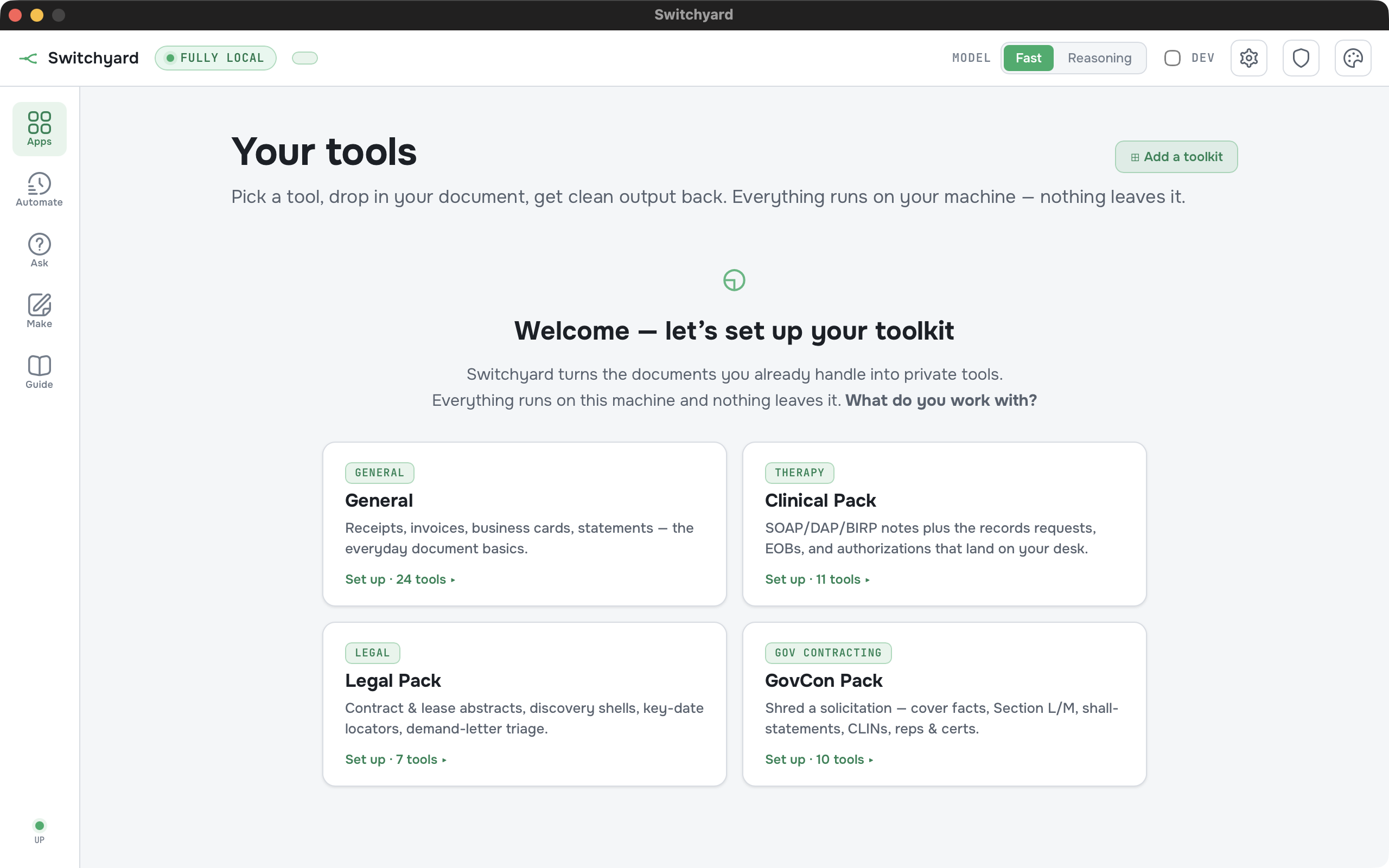
The gallery in the complete edition. Pick a tool, drop in a document.
Do not take our word for it. Take the cable out.
Every AI product says it respects your privacy. This is the only claim on the page you can check yourself in about ninety seconds, and we would rather you did.
- Turn off Wi-Fi. Unplug ethernet too, if you use it. Confirm you are offline by loading any web page and watching it fail.
- Open Switchyard and do a full day of work. Drop in documents, run the tools, ask questions of your own records, export a file. All of it works, at full quality, with no network at all.
- Turn the network back on and watch the counter. The app shows the bytes it has sent. It reads zero, and it keeps reading zero, because there is nowhere for it to send anything.
- If you want the harder version, put Little Snitch or LuLu in front of it and block the app outright. Nothing changes, because nothing was trying to leave.
What local-only actually changes
Because no third party ever holds the document, there is no vendor in your risk picture, no cloud-retention question, and no subprocessor to disclose. That is a smaller scope to defend, and it is a factual statement about where the bytes go.
What it does not change
Your own obligations. This app certifies nothing about your practice and makes no compliance claim — not HIPAA, not CMMC, not NIST. Compliance is a property of how you work, not of software you installed. What this removes is the party you could not audit.
Pick a tool. Drop in a document. Review. Save.
Everything is editable before it is written. The tools copy what the document says rather than paraphrasing it into error — a term the document does not state comes back blank, not guessed.
Ask
Plain-language questions answered only from your own saved records, with every answer cited back to the file it came from. In every edition.
Make
Word documents, slide decks, and charts carrying your own name, colour, and footer. Records save as Markdown, Word, Excel, or CSV into one folder you control.
Automate · Complete only
Point a tool at a folder and it runs itself on new files. Or hand off a goal in plain words and it works toward it on its own, stopping to ask you before it ever writes or sends anything.
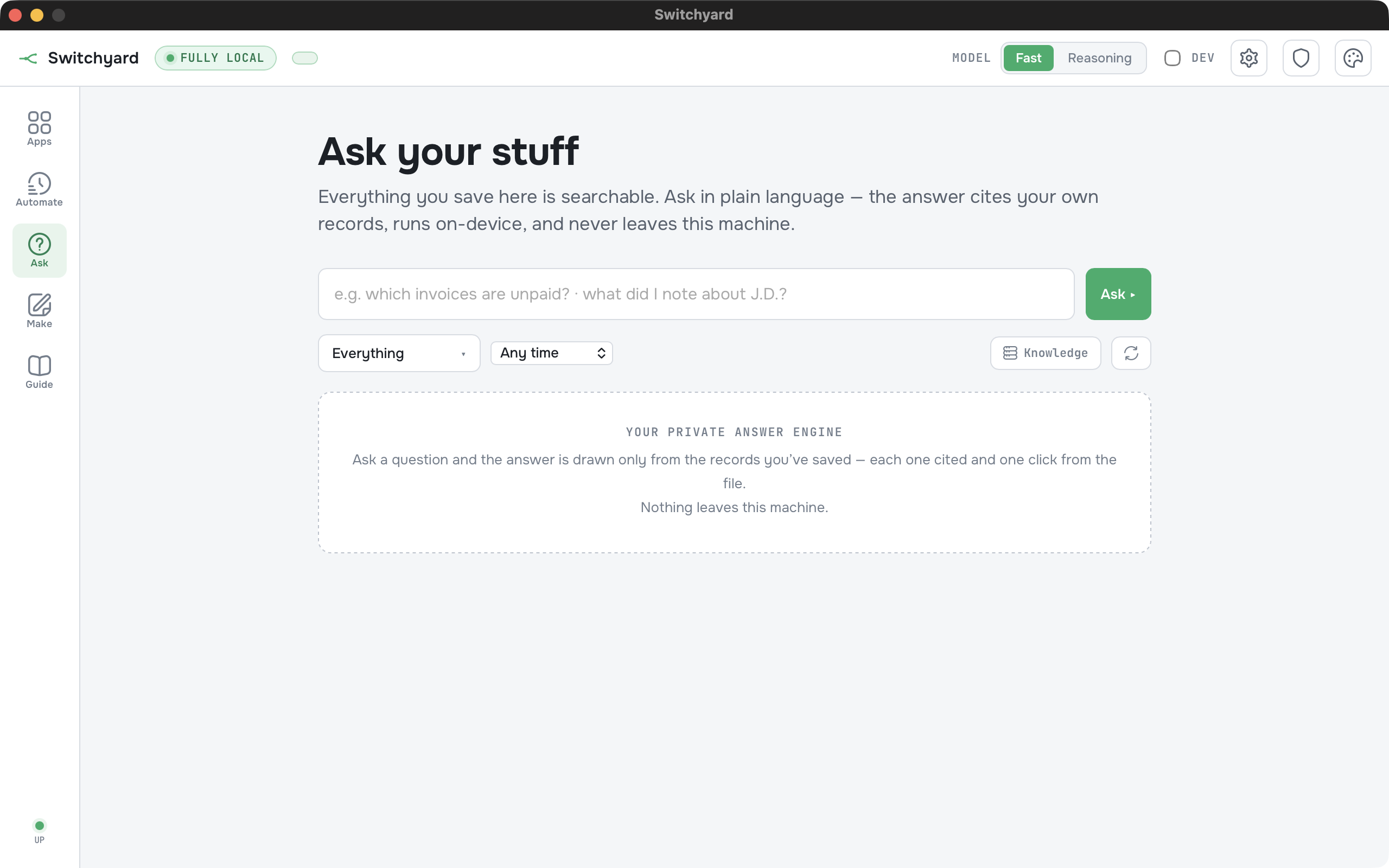
Ask, answering from saved records only, each answer cited.
Most practices want an hour with someone first.
The app installs and runs without help. But deciding which tools fit your workflow, setting up the folder your records live in, and getting a whole practice using the same one is worth a conversation. We do that, for individuals and for group practices.